Honest about overlap
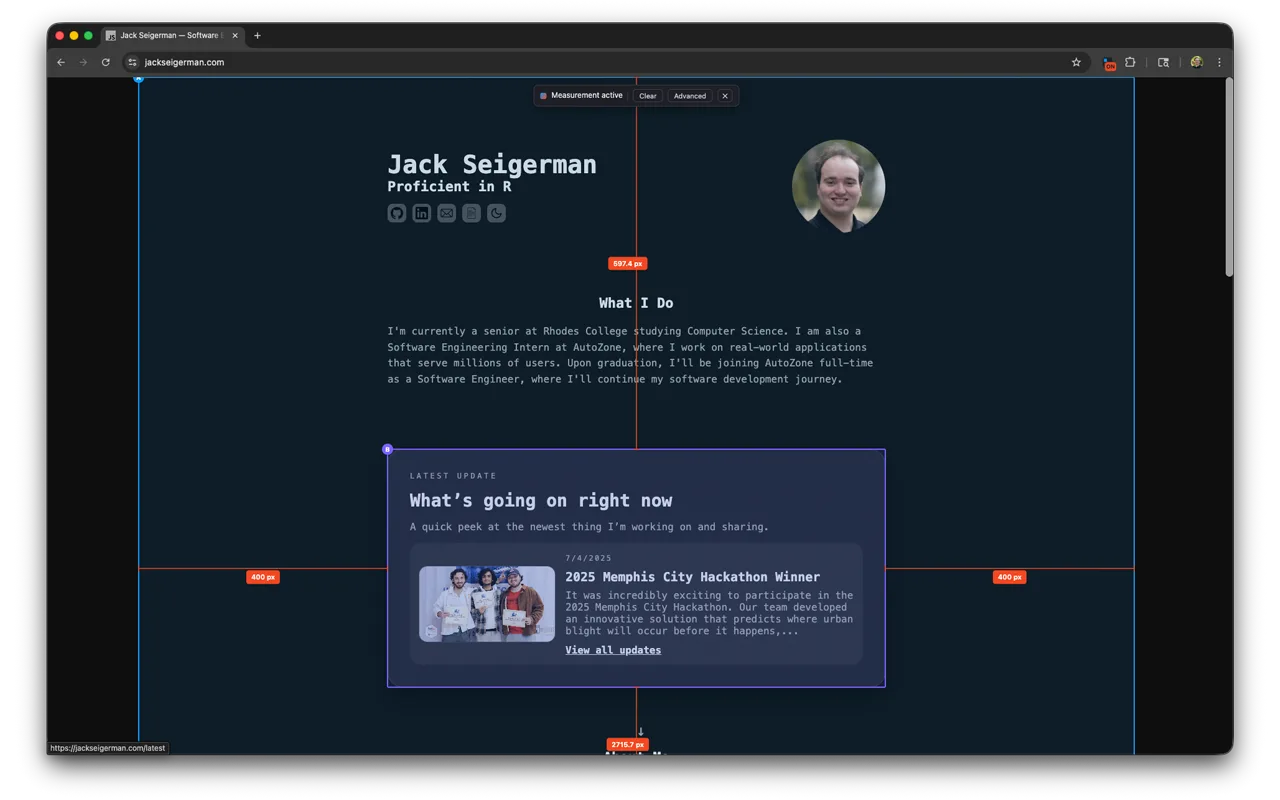
Overlapping elements get an Overlap: W × H readout with the intersection hatched — never a made-up distance.
 PixelSpanv2.0.0
PixelSpan is a Chrome and Firefox extension that shows the exact pixel distance between any two elements — like your design tool's measure feature, on the pages you actually ship.
Pick any two elements below to measure the gap between them.
This demo is plain HTML. The extension does the same thing on any live page, with devtools-style hover tags and sub-pixel precision.
In the field
Built for real layouts
Overlapping elements get an Overlap: W × H readout with the intersection hatched — never a made-up distance.
When elements sit on top of each other, Alt (Option) + click cycles through everything under the cursor.
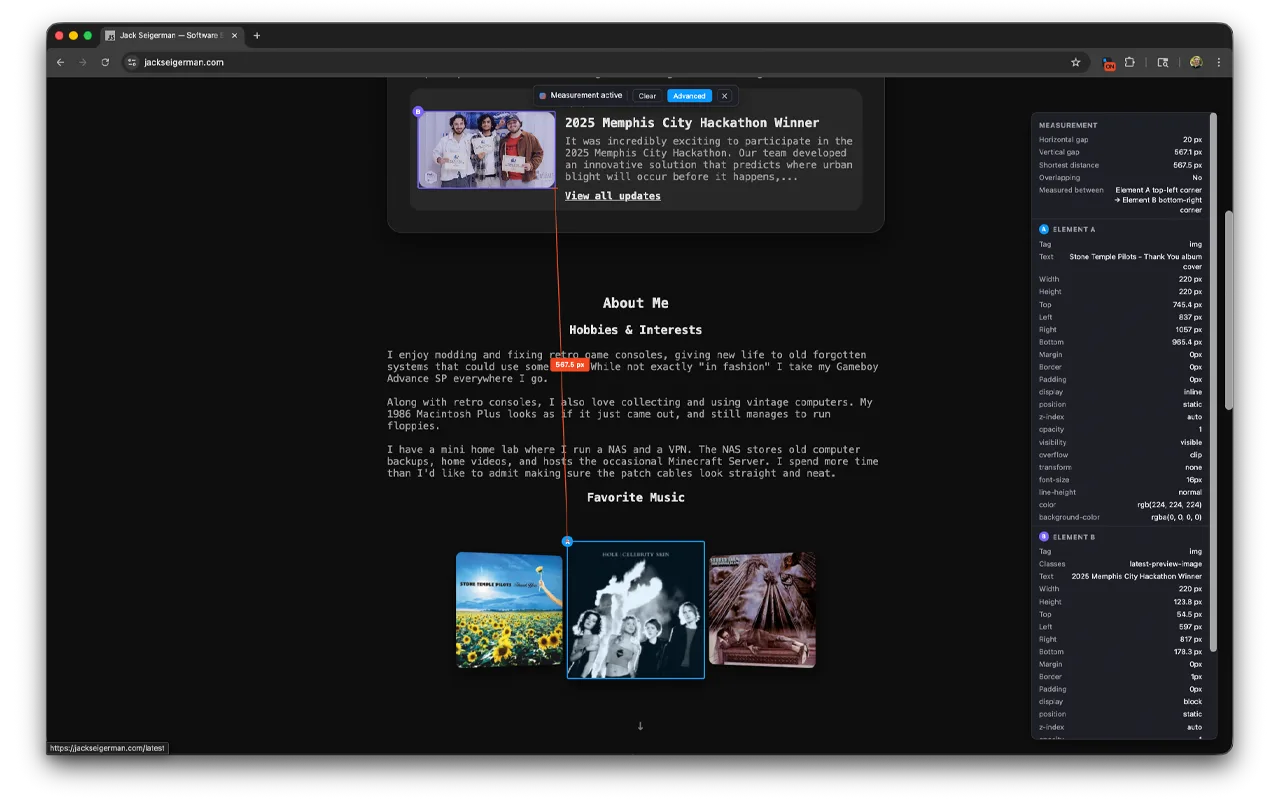
One toggle opens a panel with the box model, key computed CSS, gap breakdown, and exactly which edges are measured.
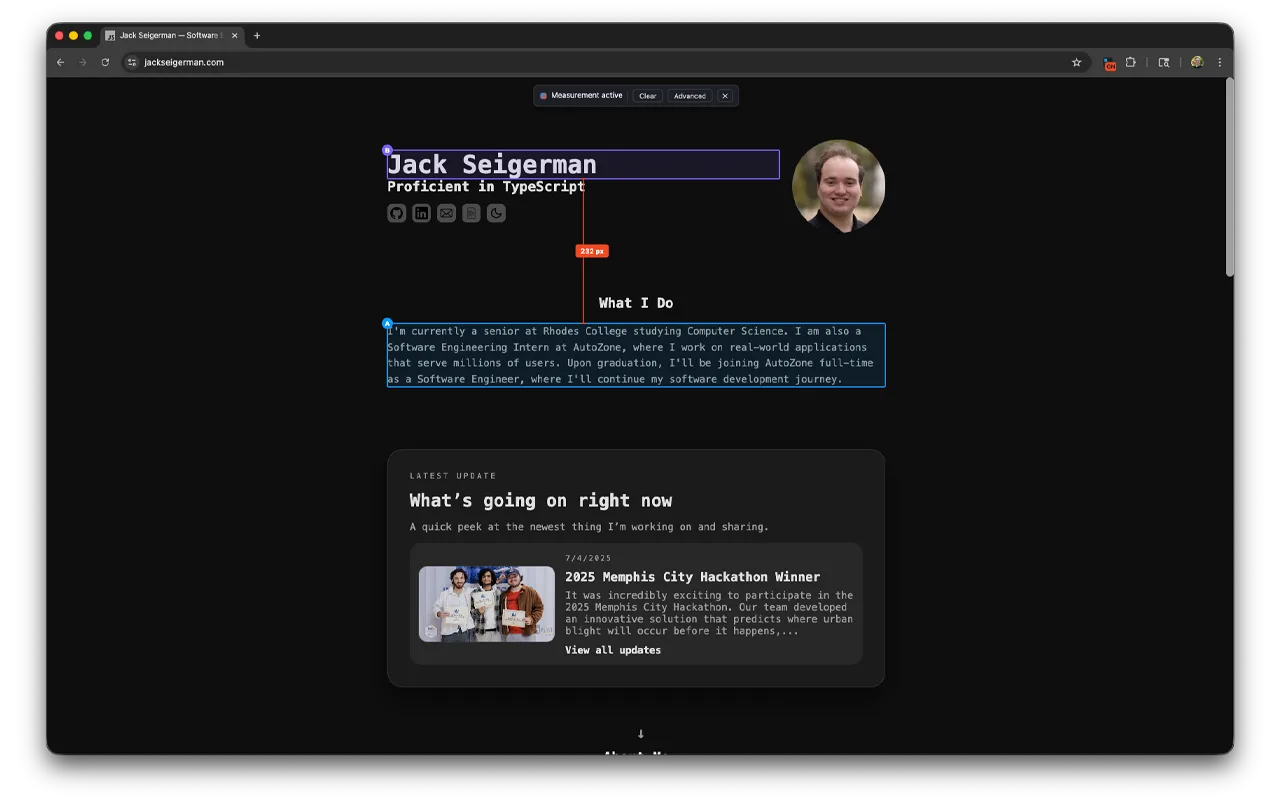
Hovering shows a tag like div.card · 320 × 48 before you commit, so you always know what you are selecting.
Measurements track scrolling — including nested scroll containers — and window resizes in real time.
One isolated overlay element is the only thing added to the page, and it is fully removed when you exit.
How it works
Nothing runs until you do. PixelSpan injects its overlay on demand into the active tab only.
Your first pick is marked A in blue, the second B in violet, with persistent highlights on both.
A red line with end ticks connects them, labeled with the distance. Press Esc or click the icon again to exit.
Privacy
PixelSpan uses the activeTab permission, so it can only see the tab you deliberately turn it on for. No accounts, no analytics, no remote servers — element positions are read locally and forgotten when you exit.
Specs